Vehicles Manager
Onsite Fleet Management for Small Yards in 2026
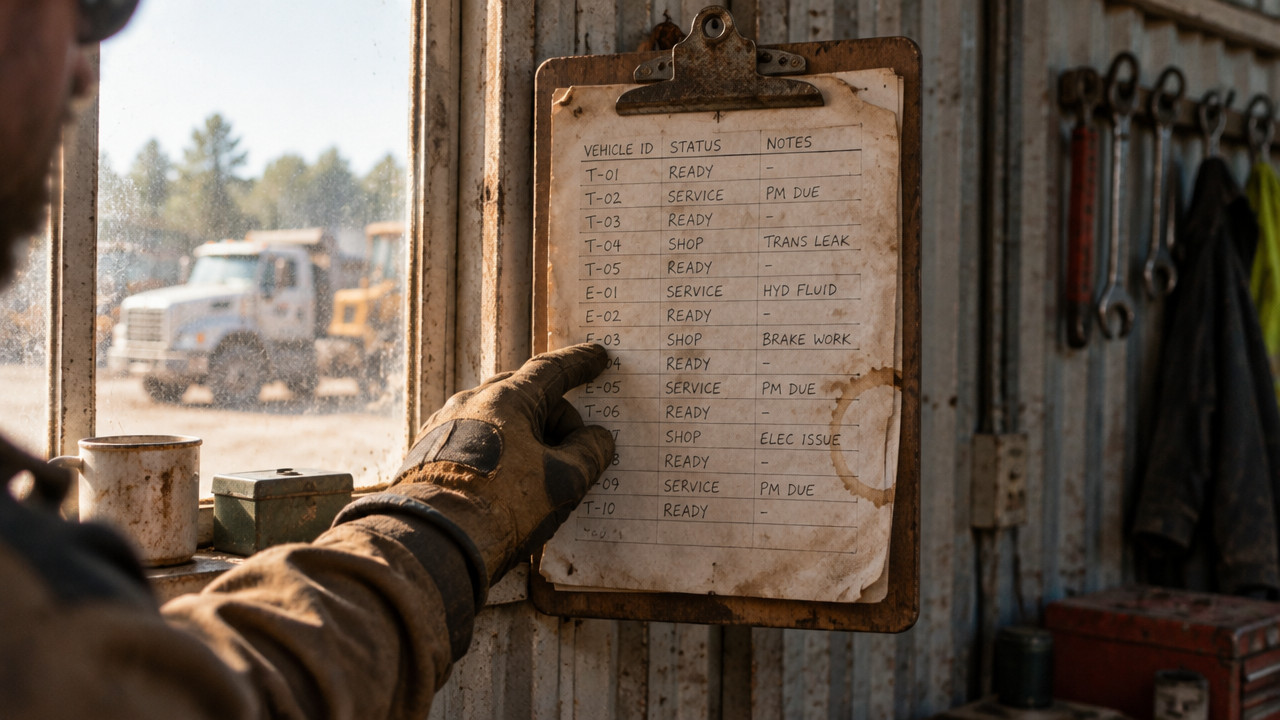
Onsite fleet management means knowing, at 06:00, which vehicle in your yard is allowed to leave. Not where it is. Not what the sheet said yesterday. If two people mark the same van "ready" and "in shop," dispatch will still send it. For fleets of 10 to 60 vehicles, the fix is one live row per vehicle with three states: ready, shop, next service. This guide shows how to build that board and kill the Excel and WhatsApp morning fight.
Quick Answer: Onsite Fleet Management Is One Row Per Vehicle, Not a Tracking Map
Onsite fleet management is not about following dots on a map. It is about knowing which truck can roll out the gate right now. Yard fleet management lives or dies on one question: is this vehicle cleared for dispatch? You do not need a complex dashboard. You need a single row per vehicle showing one of three statuses states.
- Ready: The vehicle is cleared for dispatch and can leave the yard immediately.
- Shop: The vehicle is down for repairs and must not be dispatched.
- Next Service: The vehicle is operational but has scheduled maintenance approaching.
That is it. A fleet readiness board answers the only question that matters at 06:00. Can this truck leave? If you have ever dispatched a van that was actually up on blocks, you know the spreadsheet does not protect you from that mistake. A live board does.

Cost pressures in 2026 make this clarity critical. According to recent fleet management data highlighted by fleet operators, rising operational costs remain the top concern for managers this year, making efficiency gains essential. Fleetio insights show that controlling costs starts with eliminating the daily friction of operations a morning fight over vehicle status is pure friction. A live readiness board replaces the version-control nightmare with a single source of truth that every yard manager sees in real time.
The 06:40 a.m. Failure: Why Your Spreadsheet Breaks Exactly When You Need It
It is 06:40. The first crew is already waiting by the truck. The shop foreman opens the spreadsheet on his phone. The yard manager opens it on her laptop. They both need to update the same row for Van 44. She marks it "ready." He marks it "shop" because the brake line is weeping. Both hit save. The last save wins. The spreadsheet now says "ready." Dispatch sends the van. Two hours later, the driver is on the side of the road with a failed brake line that the shop already knew about.
This is not a rare scenario. It happens every single morning in yards that run on shared spreadsheets and a WhatsApp thread. The vehicle status tracking breaks because the tool was never built for live collaboration. It was built for one person to own the data.
- Two supers open the same file. One saves over the other. The shop status vanishes.
- The WhatsApp thread scrolls fast. The mechanic posted "Van 12 down" at 05:15. Dispatch missed it in the scroll.
- The master sheet lives on one person's desktop. That person is on vacation. Nobody knows the real status.
- The rental calendar says the car is reserved. The key hook is empty. The car is actually in the shop.
The real cost is not just the spreadsheet fight. It is the lost time, the angry crew, and the liability of sending a truck that should never have left. This is the daily reality for trades crews running from a shared sheet. The morning becomes a series of phone calls to verify what the spreadsheet already claims to know.
GPS Tells You Where the Truck Is. It Never Tells You If It May Leave.
Small fleet operators often think GPS is the answer. It is not. GPS tells you where the truck is physically located. It does not tell you if that truck is cleared to leave the yard. The dot on the map is location data. Vehicle availability tracking is dispatch permission data. They are completely different things.
You can have a truck sitting in the lot, GPS pinging perfectly, while it has a cracked rim and no brake pads. The GPS will happily show you it is "home." If you send it, you lose a day and risk a breakdown. Small fleet management software that focuses on readiness not tracking solves the real problem: the gap between the sheet and the gate.
Telematics have their place. Studies indicate that telematics systems can reduce fleet operating costs by approximately 15% primarily through fuel savings, and some reports highlight productivity gains as well. Gitnux research points to widespread adoption, but adoption does not equal solving the morning board problem. Knowing where your trucks are does not stop the dispatch van from sending a unit the shop marked down at 05:00.
| Question | GPS Tracking | Readiness Board |
|---|---|---|
| Where is the vehicle right now? | Yes, shows map location | No |
| Is the vehicle cleared for dispatch? | No | Yes, live status |
| Is the vehicle currently in the shop? | No | Yes, marked "Shop" |
| When is the next service due? | Sometimes | Yes, visible on row |
| Do I need a hardware install? | Yes, device required | No, software only |
For a contractor fleet board, the question is permission, not location. GPS vendors will try to lock you into multi-year contracts for tracking you might not need. If the morning fight is about who marked what and when, the solution is a board that updates in real time, not a device that pings a satellite.
Rental Lots Lose Cars to the Gap Between Booking Calendar and Key Hook
Rental yards face a specific nightmare. The booking calendar shows a car reserved for a customer at noon. The customer arrives. You walk to the key hook. The hook is empty. You call the lot. The car is not there. It left on a tow truck three hours ago for a transmission issue. Nobody updated the calendar. The customer is standing in your lobby, furious. You just paid for their taxi.
This happens because the booking calendar, the key hook, and the shop status live in three different places. They do not talk to each other. The booking system does not know the car is down. The shop did not know the car was booked. The key hook is just a hook. Shop status for fleet vehicles is the thread that ties them together. One status "Shop" should immediately block that unit from appearing as available on the booking calendar.
For rental fleet yards, the fix is simple: the unit record holds the truth. When the mechanic marks a car "Shop," that status is visible to the yard, the booking desk, and the keys. No more handing a customer the fob for a car that is already on a lift.
Set Up Your Yard Board in 15 Minutes: Paste the List, Assign Yards, Mark the Shop
Setting up onsite fleet management should not feel like a database project. If your vendor asks for a four-hour onboarding call, you are talking to the wrong vendor. The process is simple: you already have a list. It lives in your WhatsApp thread, your email, or your notebook. Paste it in. The board builds itself.
- Paste your vehicle list from the existing spreadsheet or chat thread into the setup screen.
- Assign each vehicle to a specific yard or location so managers only see their own trucks.
- Add the three statuses: Ready, Shop, and Next Service for each vehicle row.
- Invite your yard managers and shop foreman to the board via email.
- Set permissions so each yard sees only its own rows, preventing cross-yard confusion.
- Mark the first vehicle "Shop" to test the live update. Your dispatcher should see it instantly.
That is the full setup. No hardware. No cable installations. No contract. You paste a list, and you have a live board. The cost is straightforward: $2.99 per vehicle pricing after the first month, which is free.
Small businesses that implement tracking tools often report significant financial benefits, including reductions in operating costs within the first year. Spytec highlights that users see measurable ROI quickly. While that data relates to GPS tracking, the principle applies to readiness: eliminating one morning breakdown or one mis-dispatched rental car pays for the board for months.
Shop Handoffs That Stick: Keep the Job, Receipt, and Date on the Truck
The mechanic fixes the truck. He types the update into the WhatsApp group. Two hours later, that message is 47 scrolls down the thread, buried under parts orders, lunch requests, and a joke about the Cowboys game. The dispatcher calls the shop to ask if Van 16 is ready. The mechanic hangs up, frustrated. He already said it was ready. Nobody saw it.
Fleet maintenance scheduling falls apart when the record lives in chat. The job, the receipt, and the date need to sit on the vehicle record itself. That way, when the shop marks the van "Ready," the yard manager sees it without making a call. The history stays attached to that truck, not lost in someone's text history.
- Job description: What work was done (brake pads, oil change, tire rotation).
- Receipt amount: What did the parts and labor cost.
- Date completed: When the vehicle was marked ready for dispatch.
- Mechanic notes: Any follow-up items or warnings for the driver.
- Next service reminder: When the truck is due again based on mileage.
For landscaping crews with mixed trucks and trailers, accountability is everything. If the receipt is in a text thread, accounting cannot find it. If the job is in a saved file that only the owner has, the yard manager cannot see when the vehicle is due back. Put the data on the vehicle. Everyone who needs it can find it.
Who This Fits, and Who Should Walk Away
Not every fleet needs a readiness board. If you have one truck, your clipboard is fine. If you have 500 trucks, you already have a dispatch desk and a full ERP system. The gap is in the middle: the 10 to 60 vehicle fleet that runs on one person's spreadsheet and a prayer. That is where the morning fight happens. That is where the board stops the bleeding.
Industry data suggests that fleet managers face ongoing pressure to reduce downtime and improve operations. Fleetowner reports that small and mid-size operations are prioritizing tools that simplify daily work rather than adding complexity. A readiness board fits that priority precisely.
| Fleet Type | Fit | Why |
|---|---|---|
| 10–60 vehicle contractor fleets | Yes | Runs on shared sheet, morning dispatch chaos |
| Rental lots (30–80 units) | Yes | Calendar and key hook need a single status |
| One-vehicle owner | No | Clipboard or notebook is sufficient |
| Fleets needing routing | No | Board does not do route optimization |
| Large fleets (500+) | No | Already using ERP and full dispatch systems |
| Municipal fleets with shops | Possible | municipal fleets may benefit if they lack a shop board |
Be honest about what you need. If you need to track driver behavior, this is not your tool. If you need to know exactly where every truck is on a map, buy GPS. But if your morning fight is about the spreadsheet disagreeing with the WhatsApp thread, and dispatch is sending trucks the shop already marked down, a fleet inspection tracking and readiness board is the fix.
Key Takeaways: What a Readiness Board Stops Before 07:00
A readiness board is not a complex system. It is one row per vehicle. Three states. No more version-control fights. No more sending a van that is up on blocks.
- One row per vehicle: Clear status visibility for every truck in the yard.
- Three states only: Ready, Shop, Next Service nothing more is needed.
- Live updates: The shop mark appears instantly for the dispatcher.
- No GPS confusion: Permission to leave, not location on a map.
- Audit history: Job, receipt, and date live on the vehicle record permanently.
For movers and delivery crews, the morning board is the difference between rolling out on time and spending an hour figuring out which truck actually works.
FAQ: Spreadsheets, GPS Contracts, and Switching Without the Headache
Do I need to give up my spreadsheet to use a readiness board?
No. You can keep your spreadsheet for historical records or billing. The board replaces the shared sheet for live status only. Many managers export data at the end of the month for their own records.
We already pay for GPS. Why would I add another tool?
Because GPS does not track permission. Your GPS shows where the truck is. The board shows if it can leave. They solve different problems. If your morning issue is dispatching a truck that is in the shop, GPS will not stop that.
How long does setup take?
About 15 minutes. Paste your vehicle list. Assign yards. Invite managers. No hardware install. No multi-day training. If you can copy and paste, you can set up the board.
Is there a contract?
No contract. The first month is free, no card required. After that, shuttle fleet operators and other small fleets pay a simple per-vehicle rate. Cancel anytime. No multi-year lock-in.
What if I have trucks across multiple yards?
Each yard manager sees only their own vehicles. You assign vehicles to yards during setup. The North Yard manager does not see the East Yard trucks. This prevents cross-yard confusion and keeps the board clean.
Thu Oct 29 · Editorial Team