Vehicles Manager
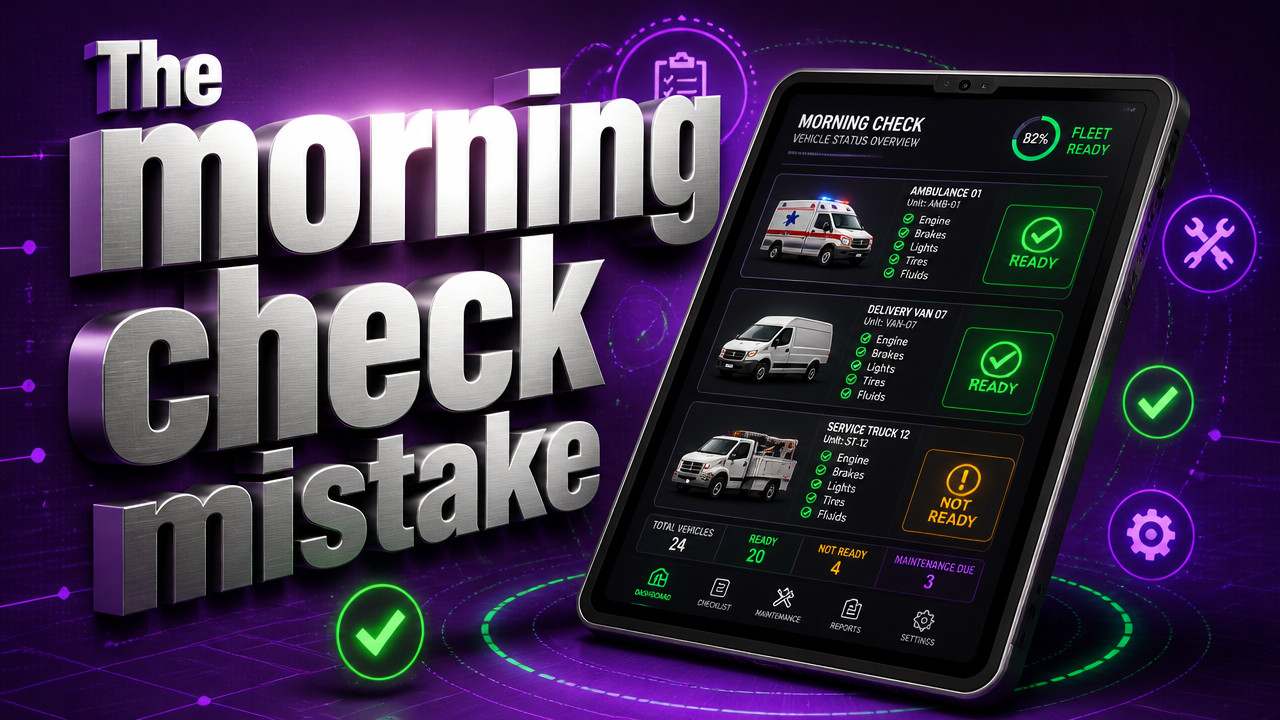
How Small Fleet Operators Track Which Vehicles Are Ready Each Morning
Small fleet operators track morning readiness using a single-source status board that shows three states per vehicle: ready, in shop, or service due. The spreadsheet-and-WhatsApp method breaks down when two people edit simultaneously at 6:30 a.m., sending a van already marked for repair. GPS answers where a vehicle is, not whether it can leave the yard. The gap is operational status, and the replacement is a live board that stops conflicting updates before dispatch begins.
Quick Answer: One Board, Three States, No Spreadsheet Conflicts
Small fleet operators replace the morning spreadsheet with a live readiness board that shows one status per vehicle at any given moment. The board displays three states only: ready to dispatch, in the shop, or service due. This single-source model prevents the version conflicts that happen when two yard managers edit the same file from different phones before the morning rush.
Why GPS and Telematics Do Not Answer the Morning Question
GPS tells you where the truck is right now. It does not tell you if that truck is cleared to leave the yard. A van can be parked in the lot, engine cold, and still have a dead battery or a brake job scheduled for that afternoon. Location data stops at the geofence.
Telematics platforms built for large fleets focus on route optimization, driver behavior, and fuel logs. Those features help once the vehicle leaves the yard. But at 6:15 a.m., the yard manager does not need to know that the truck idled for twelve minutes yesterday. They need to know if the mechanic finished the brake line repair or if dispatch already promised that unit to a job site.

Contractors who run contractor fleets often assume GPS fills the morning board gap. It does not. According to Autosist, small fleet operators widely use GPS and fleet management technology for daily visibility into vehicle status, location, and usage, allowing them to identify which vehicles are available for dispatch. Visibility into location is not the same as visibility into operational clearance. The truck is in the yard. The question is whether it is allowed to leave the yard.
The Spreadsheet-and-WhatsApp Failure Pattern [2026 Data]
The spreadsheet looks like a solution until 6:00 a.m. on a Tuesday. That is when the yard manager opens the file on a phone, marks unit 4412 as "in shop," and saves it. Meanwhile, the dispatcher opens the same file on a laptop, sees the version from last night where 4412 is "ready," and sends it to a job site. The van leaves. The mechanic shows up thirty minutes later to find an empty bay where the brake job was supposed to happen.
This conflict compounds across trades fleets that run lean crews and depend on every vehicle being available when promised. The spreadsheet cannot lock edits. WhatsApp cannot resolve version control. The two systems operate independently, and the morning board is the casualty.
The failure patterns repeat across yards every single morning:
- Two managers edit the same file simultaneously, creating split versions that do not reconcile until someone calls the shop.
- The WhatsApp thread scrolls past the shop update while dispatch is already loading the crew into a vehicle marked for repair.
- The person who owns the spreadsheet calls in sick, and nobody else knows which tab holds the real status for the north yard.
- A rental reservation and the key hook disagree by lunch, handing a customer a car that was marked for an oil change and tire rotation.
Three-State Status Model: Ready, Shop, Due
The operational readiness system replaces the spreadsheet with one row per vehicle and three possible states. No tabs, no version history, no conflicting updates. The board locks to a single status per vehicle at any moment.
Ready means the vehicle passed the morning inspection and is cleared to leave the yard for a job or a rental. Shop means the vehicle is in the repair bay and cannot be dispatched until the mechanic changes the status back. Due means a service interval is approaching and the shop should schedule work within a set window.
This model works for rental fleet operators who need a simple visual answer before the first customer walks in. The yard manager glances at the board and sees which units can leave. No calls to the shop, no searching through message threads, no second-guessing the spreadsheet.
| State | Meaning | Who Updates |
|---|---|---|
| Ready | Passed inspection, cleared to dispatch | Yard manager, dispatcher |
| Shop | In repair, cannot leave yard | Mechanic, shop lead |
| Due | Service interval approaching | Shop, yard manager |
How Small Fleets Build the Morning Board Without a Setup Project
No database. No integration. No contract that locks the yard into a three-year commitment. The setup takes fifteen minutes on a single call.
The yard manager pastes the vehicle list from the existing spreadsheet or the WhatsApp thread into the board. Each yard gets its own view, so multi-location operators see only the vehicles under their authority. Service dates attach to the vehicle row, not a separate calendar file that gets forgotten.
The onboarding steps follow a pattern that replaces the morning spreadsheet in a single session:
- Paste the list of vehicles from the current spreadsheet into the board interface.
- Assign each vehicle to a yard location so managers see only their own fleet.
- Add the next service date for each unit to populate the "due" flag automatically.
- Invite the yard manager, dispatcher, and shop lead to the board with role-based access.
- Run the first morning board at 6:00 a.m. the next day and retire the spreadsheet.
The pricing model removes the contract friction that stops many small operators from trying new software. With $2.99 per vehicle pricing, the yard sees the cost upfront without a multi-year obligation or hidden hardware fees.
Preventive Maintenance Scheduling Meets Daily Readiness Tracking [Study]
The morning board does not replace the maintenance calendar. It surfaces the maintenance calendar in the vehicle row where dispatch can see it. The "due" state tells the yard manager that a service interval is approaching, not that the truck is broken. That distinction matters when the job needs to go out today and the mechanic has a slot open tomorrow.
Operators who run moving company fleets depend on reliability across longer distances. A truck that breaks down mid-route costs more than a shop visit. The "due" flag catches the service interval before it becomes a roadside failure.
According to Expertmarket, 53% of small fleet operations combine scheduled maintenance routines with predictive monitoring technology to keep vehicles operational and ready. The board complements that approach by tying the maintenance schedule to the dispatch decision in real time.
Why Rental and Contractor Yards Need Separate Visibility by Location
Multi-yard operators cannot run a single master spreadsheet for all locations. The north yard manager does not need to see the south yard trucks, and the south yard dispatcher should not accidentally grab a unit from the wrong lot. The morning board filters by location so each manager sees only the vehicles under their control.
This separation matters for landscaping fleets that park trucks at job sites overnight. A crew foreman needs to know if the truck at their site is available for the next job or if the shop called it in for repair. The board resolves that without a phone call to the main yard.
What Replaces the Key Hook and Booking Calendar Mismatch
Rental lots run on a customer reservation calendar and a wall of key hooks. The calendar says unit 307 is booked for a noon pickup. The key hook holds the keys. But the shop marked 307 "in service" on the whiteboard three hours ago, and nobody updated the reservation system.
The customer arrives. The counter agent walks to the lot. The car is on the lift. The rental manager gets an earful, and the customer walks away with a negative experience before the contract ever prints.
The live board prevents that mismatch by locking the vehicle status before the reservation can confirm the handover. A unit marked "shop" cannot appear as "available" on the booking calendar. The shop has to clear the vehicle before dispatch can promise it to a customer.
Operators who run shuttle fleets face a similar mismatch when a driver shows up for a shift and the van is in the shop. The board shows the status before the driver clocks in, so dispatch can reassign the route without the last-minute panic.
Key Takeaways: Morning Readiness Is Status, Not Location
The gap between where the truck is and whether the truck can leave costs small fleet operators time, money, and customer trust. GPS answers the first question. The live board answers the second.
Operators who run shipping fleets cannot afford the version conflict that happens when two people edit a spreadsheet at the same time. The board replaces that conflict with a single status per vehicle, visible to everyone who needs to know before the morning rush begins.
- GPS tracks location; the live board tracks operational clearance to leave the yard.
- The three-state model shows ready, shop, and due without version conflicts.
- Separate yard visibility means each manager sees only their own vehicles.
- Maintenance schedules surface on the board as "due" flags, not buried in a separate calendar.
- The setup takes fifteen minutes with no contract, no hardware, and no integration project.
FAQ: Small Fleet Morning Readiness Tracking
Does GPS replace the morning board for small fleet operators?
No. GPS shows location, not operational status. According to industry surveys, small fleet operators widely use GPS for visibility into vehicle location, but location data does not indicate whether a vehicle is cleared to leave the yard. A truck can be parked in the lot and still require shop work before dispatch.
Can two people edit the morning board at the same time?
Yes, without creating version conflicts. The board locks to a single status per vehicle at any moment. When two managers view the board simultaneously, they see the same status. Updates appear in real time, so dispatch never sends a vehicle that the shop marked "in repair" seconds earlier.
How long does it take to set up a live readiness board?
Approximately fifteen minutes. The yard manager pastes the vehicle list into the board, assigns locations, adds service dates, and invites the team. No database integration, no hardware installation, and no multi-year contract are required to start the first morning board.
Does the board include GPS tracking features?
No. The board focuses on operational readiness, not location tracking. Small fleet operators who need GPS can use a separate telematics system, but the morning board skips the complexity, cost, and contract length that GPS platforms typically require.
What happens if the person who owns the spreadsheet is out?
The board remains accessible to the full team. Because the live board lives in the cloud and shares access by role, the yard does not depend on a single person to know which vehicles are ready. If the manager is out, the dispatcher checks the board and sees the current status for every unit.
Is the live board a fit for fleets with more than 60 vehicles?
For small fleets of 10–60 vehicles, yes. The board is designed for operations that run the yard from one spreadsheet and a message thread. Larger fleets with dispatch desks and enterprise software may not need the simplified model, but the 10–60 vehicle sweet spot matches the tool to the workflow.
How does the maintenance schedule appear on the board?
As a "due" flag on the vehicle row. The board shows when a service interval is approaching, so dispatch sees the maintenance need before the truck leaves the yard. The shop can schedule work without a separate calendar file that the yard manager might miss.
Sat Oct 17 · Editorial Team