Vehicles Manager
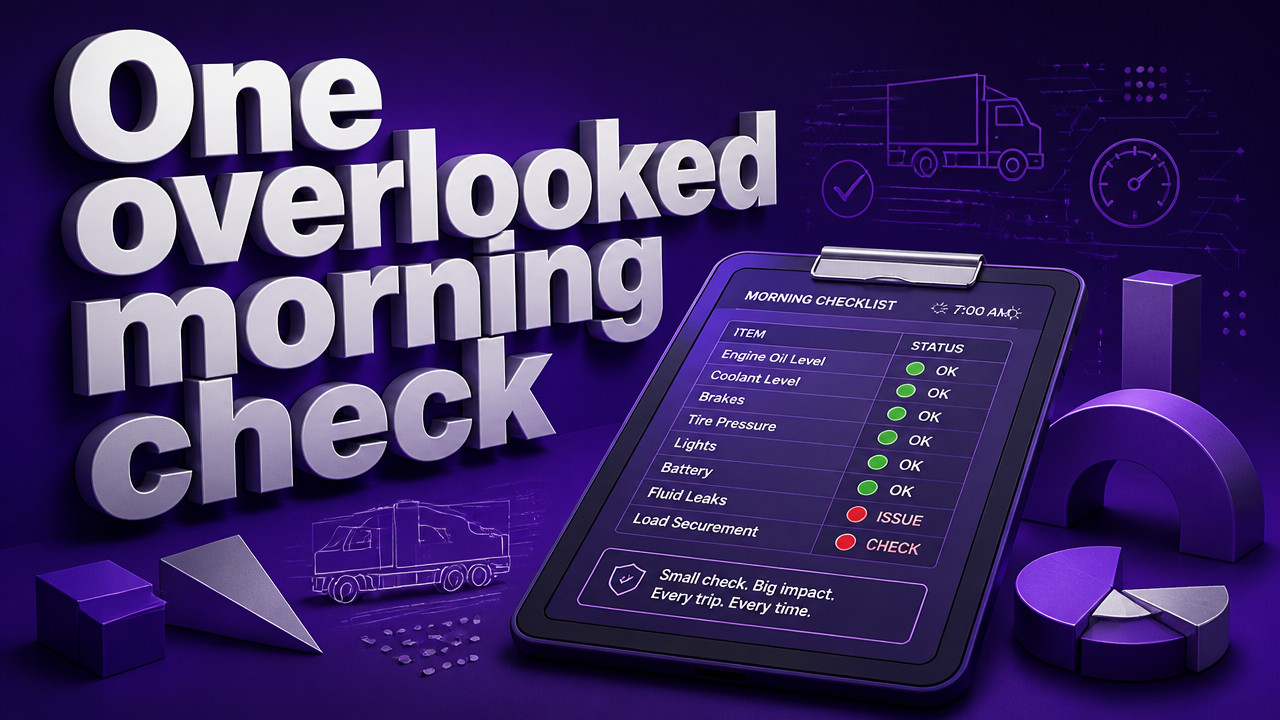
How Do Small Fleets Track Which Vehicles Are Ready to Go Each Morning
Small fleets track morning readiness with one list everyone trusts: a single row per vehicle showing ready, in shop, or next service due. Most start with a spreadsheet and a WhatsApp thread. That works until 06:00, when two people mark the same van differently and dispatch sends it anyway. The fix is not GPS. GPS shows where a van is, not whether it may leave. A live readiness board gives the yard one answer before the first key leaves the hook.
Quick Answer: One Row Per Vehicle, Three States, Zero Guessing
A proper morning readiness board shows one row per vehicle with exactly three states: ready, shop, or next service due. That is it. No gray areas. No "maybe" fields. In 2026, the yards that have stopped fighting over the last saved spreadsheet file have shifted to a shared, live board that updates in real time. Everyone sees the same status at the same time. No more calling the yard manager at home to ask if Unit 14 actually cleared the shop.

- Ready: Vehicle has passed inspection, has no open shop tags, and is cleared for dispatch today.
- Shop: Vehicle is under repair or awaiting parts. It cannot leave the yard until a mechanic changes the status.
- Next Service: Vehicle is operational but has a maintenance trigger approaching within the service window.
This simple three-state system is what separates a functioning yard from one where the dispatcher and the shop manager argue over who marked what, when. A live readiness board for small fleets replaces the spreadsheet fight with a single source of truth that dispatch, shop, and management all trust.
Why the 06:00 Spreadsheet Fight Sends a Shop Van Out the Gate
The clock hits 05:45. The dispatcher opens the spreadsheet from yesterday. The shop foreman opens a different version saved on his phone. Both think they have the right file. Unit 22 was marked ready yesterday afternoon, but it came back with a dashboard light at 16:00. The foreman marked it shop in his copy. The dispatcher never saw that update. At 06:02, the driver takes the keys and heads out. By 07:30, the van is on the side of the road, and the morning schedule is shot.
This is not a staff problem. This is a tool problem. The spreadsheet does not talk to the WhatsApp group in real time. The person who owns the sheet is the only one who truly knows the status, and if they are on vacation, sick, or just running late, the whole yard operates on outdated information.
According to Sambasafety, small fleets use a mix of technology and processes to track vehicle readiness each morning, but spreadsheets and messaging apps create version control chaos when multiple people edit the same file without synchronization. That chaos costs time, money, and customer trust.
- 05:45: Dispatcher opens yesterday's spreadsheet. Shop foreman opens his local copy.
- 05:50: Foreman marks Unit 22 "shop" due to overnight brake concern.
- 05:55: Dispatcher refreshes old file. Still sees Unit 22 as "ready."
- 06:00: WhatsApp thread shows three different status updates for Unit 22.
- 06:02: Dispatcher hands keys to driver for Unit 22. Vehicle leaves yard.
- 07:30: Driver reports brake failure. Shop realizes the vehicle was never meant to leave.
The failure pattern is predictable. Contractor yards running on one sheet experience this exact scenario weekly. The problem compounds when multiple people have edit access but no single source confirms the current state of every vehicle before the first dispatch decision is made.
Ready, Shop, Next Service: The Only Three States a Morning Board Needs
More status fields sound helpful until you watch a yard argue over what "hold" means versus "waiting for parts" versus "pending inspection." The more options you give people, the more they disagree. A morning board needs exactly three states to function without confusion.
Ready means the vehicle passed its pre-trip check, has no open mechanical issues, and is available for dispatch immediately. Only the shop or a mechanic can set this status. Dispatch can see it but cannot change it. This prevents a driver from marking a van ready and skipping the brake check.
Shop means the vehicle is under repair, waiting for parts, or has a known issue that makes it illegal or unsafe to operate. This status blocks dispatch. Period. Nobody overrides it without shop approval.
Next Service means the vehicle is operational today but has a maintenance trigger coming due. This state lets dispatch plan around upcoming schedule gaps while keeping the vehicle in rotation.
| State | Who Sets It | What Dispatch Does |
|---|---|---|
| Ready | Shop foreman or mechanic only | Assign to route without calling yard |
| Shop | Shop foreman or mechanic only | Do not assign. Vehicle blocked from leaving. |
| Next Service | Shop foreman or maintenance coordinator | Assign today, plan for upcoming service window. |
Fewer states mean fewer arguments. When a vehicle can only be in one of three buckets, the morning decision becomes binary. Can it leave right now? Yes or no. That clarity saves yard managers hours of phone calls and spreadsheet reconciliation every week. Trades fleets that dispatch before sunrise rely on this simplicity to get crews moving before the sun comes up.
How to Run a 10-Minute Morning Readiness Check Without a Spreadsheet Owner
The old way required one person to own the master spreadsheet. That person updated it, protected it, and acted as the gatekeeper for every status change. When that person was out, the yard flew blind. A shared board removes that dependency.
Here is how a 10-minute morning check works with a live readiness board:
- Upload or sync fleet list once. Paste your fleet roster or connect your existing system. Takes two minutes the first time.
- Filter by yard location. See only the vehicles on the lot you are dispatching from today.
- Review the three-state column. Every vehicle shows ready, shop, or next service due.
- Shop highlights any overnight changes. The foreman already marked problem units before you arrived.
- Confirm ready count matches route plan. Assign drivers to ready vehicles. Shop vehicles stay put.
- Rule: no vehicle leaves with shop status. The board blocks assignment. Dispatcher cannot override without shop permission.
The whole process takes 10 minutes. No calling the foreman. No scrolling through 47 WhatsApp messages to find yesterday's update. No opening three different spreadsheet versions to see which one was saved last. Just a live board that shows who can leave and who cannot.
Pricing starts with a free first month to prove the workflow fits. After that, $2.99 per vehicle pricing kicks in. No hardware to install. No GPS contract to sign. No multi-year commitment that locks you in if the yard grows or shrinks.
Sheet, WhatsApp, GPS, or Board: What Each Tool Actually Answers at 6 AM
Each tool answers a different question. Most small fleets use all four and still have no clear answer at 06:00 because the tools do not talk to each other.
| Tool | Question It Answers | Fails When |
|---|---|---|
| Spreadsheet | What was the status when last saved? | Two versions exist. No one knows which is current. |
| What did someone say in the group chat? | Messages bury updates. Dispatcher misses the shop note. | |
| GPS | Where is the vehicle right now? | Shows location, not permission. A van can be parked and still unsafe to drive. |
| Readiness Board | Is this vehicle cleared to leave the yard? | Requires one process change: status must be set before dispatch. |
| Scenario | What Breaks | What a Board Fixes |
|---|---|---|
| Rental lot | Desk promises a unit already in shop | Shop status visible before booking confirmation |
| Contractor yard | Crew leaves before shop update reaches dispatch | Shop status set overnight; dispatch sees it before crew arrival |