Vehicles Manager
Fleet Management Templates: Why a Sheet Fails at 6 AM
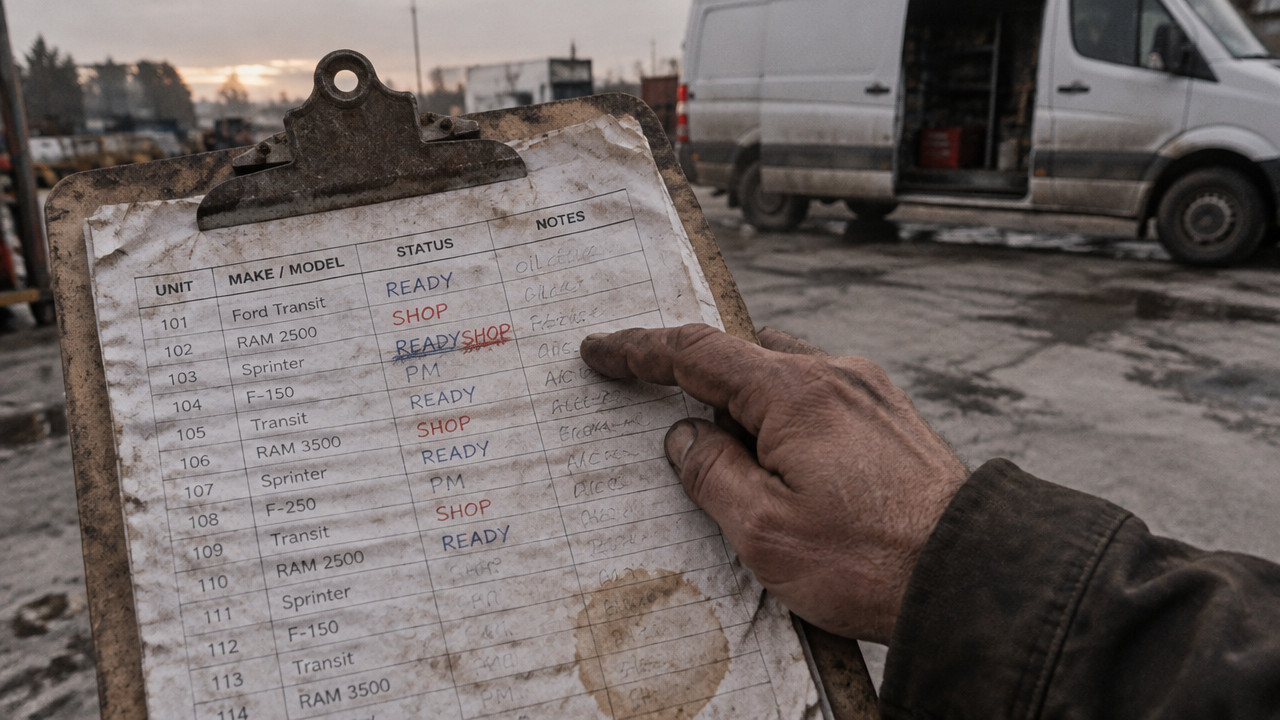
A fleet management template is a pre-built spreadsheet or form that tracks vehicle status, service dates, and inspections in one place. For a 10–60 vehicle yard, it works until two people mark the same van 'in shop' and 'ready' at 6 AM and dispatch sends it anyway. The template was never the problem. The shared file and the WhatsApp thread were. This guide shows which templates to use in 2026, how to build a one-row-per-vehicle layout, and when to stop copying cells.
Quick Answer: Three Columns Beat Thirty in a Fleet Template
A fleet management template needs one row per vehicle and three states: ready, shop, and next service. Anything more creates a database project that no yard manager updates at 06:00. The goal is a fleet readiness board that answers a single question before the morning rush: can this vehicle leave the yard today? Most downloaded templates fail because they track fuel, mileage, and driver names in thirty columns when only three fields matter at the gate.
- Status: ready, shop, or hold nothing else.
- Shop Note: one sentence on what broke and when it returns.
- Next Service: date or mileage of the next preventive maintenance.
You do not need GPS coordinates to answer that. You need a live board that replaces the spreadsheet someone forgot to save. When the sheet owner calls in sick, the yard still runs if the status lives in a shared tool rather than a local file. Vehicles Manager offers a live readiness board for small fleets built on this exact layout.

The Five Fleet Templates Worth Downloading, and What Each One Misses
Most yards start with a free download. The template looks professional until the third column asks for tire pressure on a Tuesday. The reality is that most fleet management templates solve for accounting or compliance, not for the guy standing in the yard at sunrise making dispatch decisions. Here is a breakdown of the five most common templates and where they fall short for trades fleets that need a vehicle in the field, not a report in a binder.
According to Gitnux, the global fleet management market was valued at USD 26.5 billion in 2022 and is projected to grow at a compound annual growth rate of 9.0% from 2023 to 2030. That growth means more tools, but also more confusion about which tool solves which problem. A template that tracks every variable often tracks nothing useful at 6 AM when a decision must be made in seconds.
| Template Type | What It Tracks | What It Misses | Best For |
|---|---|---|---|
| Maintenance Log | Repair history, costs, parts used | Current "ready/shop" status this morning | Shop managers tracking work orders |
| Inspection Checklist | DOT compliance, daily walk-around | Aggregate view of whole fleet status | Safety officers and DOT audits |
| Service Schedule | Oil changes, tire rotations, PM dates | Unplanned breakdowns holding a vehicle | Preventive maintenance planning |
| Fuel Log | Gallons, cost, MPG, fill-up dates | Whether the vehicle can leave today | Accounting and IFTA reporting |
| Status Sheet | Vehicle ID, current location, driver | Constraints that block dispatch (shop hold) | Dispatchers without shop visibility |
The maintenance log tells you what the transmission cost last quarter. The vehicle maintenance log template creates a record for accounting. But when the dispatcher needs a van in ten minutes, that log does not answer whether Unit 204 turned cranks or sits in the bay. The fleet inspection checklist template proves the driver walked around the truck. It does not say the mechanic flagged a brake line that morning.
A preventive maintenance schedule template belongs on the shop wall. It tells you when the next service is due. It does not account for the forklift that backed into the fender yesterday. The gap in every downloaded template is simple: none of them tell the yard manager "can it leave right now" without scrolling through history first.
Why the Sheet Says Ready While the Van Sits in the Shop
The failure happens between 06:00 and 07:00. The shop marks the van "in shop" on the whiteboard. Dispatch marks it "ready" on the spreadsheet because that was the status from yesterday. The WhatsApp thread has four people typing over each other. By the time the driver gets to the key hook, the fleet tracking spreadsheet says one thing, the mechanic says another, and the customer is on hold.
This is not a technology problem. It is a sync problem. The sheet lives on one person's desktop. The chat lives in someone else's pocket. The whiteboard lives behind a locked gate nobody opened yet. When Verizonconnect released their 2026 Fleet Technology Trends Report, they found that three out of four fleet professionals now use at least one fleet technology such as GPS tracking or video telematics. Yet adoption does not equal integration. The GPS tells you where the van is parked. It does not tell you whether the mechanic cleared it for dispatch.
- Stale file: The saved version is three days old and nobody updated status.
- Chat drift: The decision was made in a thread with 47 unread messages.
- Absent owner: The one person who knows the sheet called in sick.
- Key hook mismatch: The keys hang on the hook but the van has no transmission.
The consequences land hard on rental lots. A booking comes in for a mid-size sedan. The spreadsheet shows it available. The key hook agrees. The mechanic knows the check engine light came on at 05:45 but that update never reached the reservation system. The customer drives off, and the check engine light becomes a tow truck call two hours later. The template did not fail because it lacked columns. It failed because it lacked a trigger that stopped dispatch the moment the mechanic typed "hold."
How to Build a One-Row-Per-Vehicle Template in 20 Minutes
Start simple. The goal is a vehicle status tracker that a yard hand can update on a phone in ten seconds while standing next to the truck. Complex spreadsheets die because they require a laptop and fifteen minutes to update. A working fleet maintenance spreadsheet for a small yard needs four columns and strict data validation that prevents anyone from typing "kinda ready" or "needs look."
This layout works for landscaping crews, contractors, and delivery fleets where the morning board happens fast and the penalty for a wrong call is a crew sitting idle for two hours.
- Column A: Vehicle ID. Use the unit number or plate. No names, no driver assignments.
- Column B: Status. Data validation list: Ready, Shop, Hold. No free text allowed.
- Column C: Shop Note. One sentence max. "Transmission, back Tuesday."
- Column D: Next Service. Date format only. When is the next PM due?
- Set permissions. Only two people can change status. Everyone else can view.
- Save a read-only link. The morning dispatcher opens the link, not the file.
| Vehicle ID | Status | Shop Note | Next Service |
|---|---|---|---|
| UNIT-204 | Shop | Brake line fix, back Weds | 2026-02-15 |
| UNIT-305 | Ready | 2026-03-01 | |
| UNIT-412 | Hold | Waiting tire delivery | 2026-02-20 |
The power is in the constraint. When a cell only accepts three values, the morning scan takes ten seconds. Row by row, the dispatcher sees ready, ready, shop, ready. No interpretation required. The small fleet management software decision is not about features. It is about whether the yard can see the same board before the first truck leaves the gate.
Matching the Template to the Yard: Contractors, Movers, Shuttles, Municipal
Not every yard needs the same fields. A fleet management template that works for a paving crew fails for a city motor pool because the stakeholders differ. The constant is the one-row-per-vehicle layout. The variable is the extra column that answers the specific morning question for that operation.
For contractor fleets, the question is job readiness. The morning board needs to know which truck has the tools for the specific site. For municipal fleets, the question is department assignment. The parks department cannot borrow a truck from public works without a paper trail. Each segment needs one additional field, not twenty.
- Contractors: Add "Job Assigned" column. Which site does this truck head to today?
- Movers: Add "Crew Size" column. Does the van need three movers or two?
- Shuttles: Add "Route" column. Which driver knows this route?
- Municipal: Add "Department" column. Public Works, Parks, or Inspection.
The mistake is building one master template that tries to serve all of them. A fleet readiness board for a paving company has no business including a "route" column for city bus drivers. The morning dispatcher skips over columns they do not use. Eventually they stop updating the sheet because the relevant data is buried in column Z.
The Point Where Copying a Template Costs More Than Replacing It
A spreadsheet reaches a breaking point. The template is free, but the hidden cost is the morning fight that happens when the file says ready and the van has no brakes. That moment costs more than the subscription fee for a tool that updates in real time.
According to G2, a report indicates that 45% of U.S. fleet managers achieved a positive ROI within the first year of implementing fleet management software. The ROI is not in features nobody uses. It is in preventing the single dispatch error that sends a crew to the wrong site or a customer a van that cannot start. The moment the sheet owner is out sick and nobody else knows how to read the spreadsheet, the template has failed.
| Criteria | Spreadsheet Template | Live Readiness Board |
|---|---|---|
| Update Speed | Manual save, manual share | Instant sync across devices |
| Status Visibility | Whoever has the file open | Entire yard sees one board |
| Shop Integration | Mechanic calls or texts | Mechanic updates from phone |
| Contract Length | No contract, but file ownership issues | Month-to-month, no lock-in |
| GPS Requirement | No GPS built in | No GPS required, status only |
The shift happens when $2.99 per vehicle pricing becomes cheaper than the cost of one mistake. A van marked shop that still leaves the yard costs the business the job, the customer trust, and the morning momentum. The board replaces the spreadsheet and the WhatsApp thread with a single source of truth that answers the only question that matters: is this unit cleared to leave?
Key Takeaways: What a 2026 Fleet Template Must Do Before Roll-Out
Before any template goes live, it must pass the 06:00 test. Can a yard manager look at the board and know in ten seconds which vehicles can leave? If the answer is no, the template has too many columns. A fleet tracking spreadsheet that requires scrolling or filtering has already failed the morning board.
- One row per vehicle. No merged cells, no multiple entries per unit.
- Three states only. Ready, Shop, Hold. No variation, no free text.
- Shop note visible. The reason for hold shows in the same row.
- No GPS required. Status is clearance, not location.
- Live access. The board updates in real time, not after the next save.
The sheet is a starting point. The municipal fleet board per department layout proves the concept. Each department sees only its own vehicles. The shop marks a truck hold, and public works knows before the crew reaches the key hook. Try the municipal fleet board layout if your yard has grown past the single spreadsheet stage.
FAQ: Fleet Management Template Questions From Yard Managers
Are free fleet management templates good enough for a small yard?
Yes, until the third time a van marked shop leaves the gate. A free template tracks data well but does not sync decisions in real time. The cost shows up in the morning argument between dispatch and the shop. For yards with more than ten vehicles, the free template costs more in lost time than movers fleets and contractors realize.
Does Excel have a limit on how many vehicles a template can handle?
No hard limit, but a practical ceiling exists around 50–60 units. Excel slows down and the file corruption risk rises. More importantly, the cognitive limit for a morning dispatcher is about 40 rows on one screen. Beyond that, the board needs a separate view or a dedicated tool.
Do I need GPS if I only want to track vehicle status?
No. GPS tells you where the vehicle is located, not whether the mechanic cleared it for dispatch. A status board answers "can it leave" while GPS answers "where is it now." Many yards with small fleet management software subscriptions pay for GPS they never use because the real need is status visibility.
How long does it take to set up a live readiness board?
About 20 minutes for the first board. Paste the vehicle list, set the three statuses, and share the link. No hardware, no installation per vehicle. The board works on any phone or tablet the yard already owns.
What size fleet benefits most from a one-row-per-vehicle template?
10–60 vehicles is the sweet spot. Smaller than ten, the yard fits in one person's head. Larger than 60, the operation usually has a dispatch desk and a full ERP. The template serves the gap where the spreadsheet is unmanageable but a full fleet system is overkill.
Wed Oct 28 · Editorial Team